

Remote Tech Support: Fast, Secure IT Help for Home and Business
When your computer stops working, your email refuses to open, your Wi-Fi keeps disconnecting or an important application crashes, even a small technical problem can interrupt your entire day.
For businesses, these issues can delay projects, affect customer service and reduce employee productivity. For individuals, they can make everyday tasks frustrating and time-consuming.
This is where remote tech support can make a difference.
Instead of waiting for an on-site technician, many computer and software problems can be diagnosed and resolved remotely by an IT professional using a secure internet connection.
In this guide, ITx247 explains how remote tech support works, the problems it can solve, its benefits and how to choose the right support provider.
What Is Remote Tech Support?
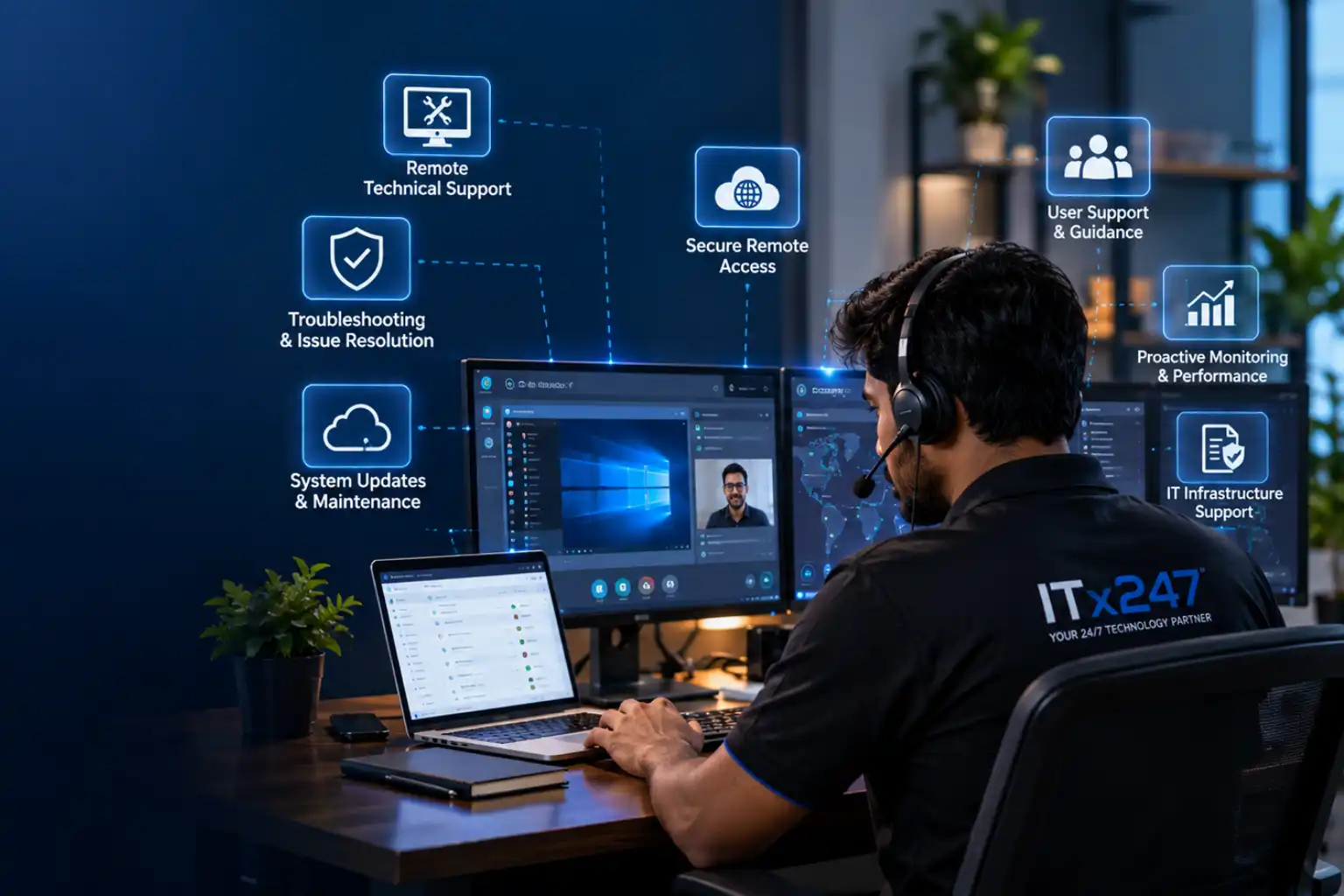
Remote tech support is an IT service that allows a technician to diagnose and resolve certain technical problems over the internet without physically visiting your home or office.
With your permission, a technician can connect to your computer using an appropriate remote support tool, inspect the problem, perform authorised troubleshooting and guide you through the necessary steps.
Depending on the issue, remote support may include:
-
Computer and laptop troubleshooting.
-
Software installation, configuration and updates.
-
Email setup and account troubleshooting.
-
Wi-Fi and network connectivity issues.
-
Printer and peripheral configuration.
-
Malware investigation and security guidance.
-
Backup configuration and recovery assistance.
-
Operating system and application errors.
Not every problem can be fixed remotely. Hardware failures, damaged components and certain network or infrastructure issues may require an on-site visit or specialist assistance.
How Does Remote IT Support Work?
Remote IT support typically follows a straightforward process.
Step 1: Explain the problem
You contact your IT support provider and describe the issue. Sharing the error message, affected device and steps that triggered the problem can help the technician investigate faster.
Step 2: Connect securely
If remote access is appropriate, the technician arranges a connection using a suitable remote support tool. You should understand what access is being granted and approve the session.
Step 3: Diagnose the issue
The technician checks relevant settings, applications, error messages and system behaviour to identify the likely cause.
Step 4: Resolve or escalate
The technician performs authorised troubleshooting, applies an appropriate fix or explains the next steps if the issue requires additional investigation.
Step 5: Confirm everything works
You test the affected application or device, and the technician confirms whether the problem has been resolved or requires further support.
A clear process helps reduce unnecessary delays and makes it easier to understand what was done.
Five Benefits of Remote Tech Support
1. Faster access to assistance
Remote support removes the need for a technician to travel for issues that can be resolved online. This can help you get assistance sooner, subject to availability and the complexity of the problem.
2. Reduced IT support costs
For many software, configuration and troubleshooting issues, remote assistance can avoid unnecessary travel and on-site service costs.
The actual cost depends on the provider, support plan, time required and nature of the problem.
3. Convenient support from anywhere
Whether you work from home, operate a small business or manage a distributed team, remote support can help resolve compatible technical issues wherever a suitable internet connection is available.
4. Less disruption to daily work
Getting assistance with email errors, software problems or connectivity issues can help employees return to their tasks without prolonged interruptions.
5. Access to technical expertise
Remote support gives individuals and businesses access to IT professionals without necessarily maintaining a dedicated in-house IT department.
Remote Tech Support vs On-Site IT Support
Which option is better? It depends on the problem.
Remote support is generally suitable for software configuration, application errors, account setup, operating system troubleshooting and many connectivity issues.
On-site support is more appropriate for physical hardware repairs, component replacements, damaged cabling, equipment installation and problems that cannot be diagnosed or resolved remotely.
Many organisations benefit from a combination of both. Remote support can handle routine technical issues, while on-site assistance addresses problems that require physical intervention.
Is Remote Tech Support Safe?
Yes, remote tech support can be safe when the connection, access permissions and support process are properly managed. However, remote access also creates risks if it is granted to an untrusted person.
Follow these precautions before allowing anyone to connect to your device.
Verify the technician
Contact your support provider through its official website or a previously verified communication channel. Be cautious of unsolicited calls claiming that your computer has a virus.
Approve access yourself
Never grant remote access to someone who contacts you unexpectedly and pressures you to act immediately.
Use trusted remote access software
Only install remote support tools recommended through a verified channel. Understand whether the session allows screen viewing, remote control, file transfer or unattended access.
Protect sensitive information
Close confidential documents and avoid exposing passwords, banking details or sensitive customer information during a support session.
End the session when finished
Disconnect remote access after the work is completed. Remove temporary software or disable unattended access when it is no longer required.
Keep your systems protected
Maintain security updates, use strong authentication and ensure important data is backed up.
A trustworthy support provider should explain the connection process and obtain appropriate permission before performing work on your device.
Do Small Businesses Need Remote IT Support?
Small businesses often depend on computers, cloud applications, email, websites and reliable internet access to serve customers.
Without dedicated IT staff, even a minor technical issue can take hours to investigate. Employees may attempt fixes without the necessary expertise, potentially creating further problems.
Remote IT support can help small businesses with:
-
Employee computer and software issues.
-
Business email and account configuration.
-
Application troubleshooting.
-
Network connectivity problems.
-
System updates and routine maintenance.
-
Backup checks and recovery assistance.
-
Initial investigation of security incidents.
For businesses that need more than occasional troubleshooting, managed IT services can provide a broader approach to maintenance, monitoring, security and ongoing technology management.
The right arrangement depends on the number of devices, business requirements, risk profile and support expectations.
What About 24/7 Remote Tech Support?
Technical problems do not always happen during office hours. A failed application, inaccessible email account or connectivity issue can interrupt work at an inconvenient time.
Access to support outside normal business hours can be valuable for businesses with extended operating schedules, remote employees or time-sensitive systems.
However, 24/7 availability does not necessarily mean every issue will be resolved immediately. Response times, service coverage and escalation arrangements depend on the provider and agreed support plan.
Before choosing a service, check its operating hours, response commitments, supported devices and any additional charges for after-hours assistance.
How to Choose the Right Remote IT Support Provider
Before selecting a provider, consider these important factors.
Technical expertise: Check whether the provider supports your operating systems, applications and devices.
Security practices: Ask how remote access is authorised, protected and terminated after a session.
Transparent pricing: Understand whether support is charged per incident, per hour or through a recurring plan.
Communication: Choose a provider that explains problems and solutions clearly rather than relying on technical jargon.
Support availability: Confirm when assistance is available and what happens when an issue cannot be resolved remotely.
Scope of service: Make sure the provider supports the types of issues you are likely to encounter.
A good support provider should help you understand the problem, explain the recommended fix and communicate any limitations.
Get Remote Tech Support With ITx247
At ITx247, we understand how frustrating technical problems can be when you need to get work done.
Our remote IT support services are designed to help individuals and businesses troubleshoot common technology issues, configure software, address connectivity problems and receive practical technical guidance.
Depending on your requirements, our support can cover:
-
Computer and laptop troubleshooting.
-
Software installation and configuration.
-
Email and connectivity assistance.
-
System maintenance and technical guidance.
-
Backup and recovery support.
-
Initial investigation of common IT problems.
We also provide managed IT services, IT consulting, cybersecurity, cloud services and web development to support broader business technology requirements.
Whether you need help with a particular technical issue or want to improve the reliability of your business IT environment, our team can help you explore the appropriate solution.
Need help with a technical problem?
Visit https://itx247.com to learn more about our services or contact our team to discuss your requirements.
Email: info@itx247.com
WhatsApp: +94 76 767 5708
ITx247 — Your 24/7 Technology Partner.
Frequently Asked Questions
Can a technician fix my computer remotely?
Many software, configuration and operating system problems can be resolved remotely. Physical hardware failures and some network problems may require on-site assistance.
Do I need to install software for remote support?
Sometimes. Depending on the provider and support tool, you may need to open a temporary support application or approve a remote connection.
Is remote IT support suitable for home users?
Yes. Home users can seek help with software installation, computer errors, email configuration, printer issues and many other technical problems.
Is remote tech support cheaper than on-site support?
It can be, particularly when it avoids travel for problems that can be resolved remotely. Costs vary by provider, support plan and issue complexity.
Can remote IT support help businesses?
Yes. It can help employees resolve common technical problems and reduce disruption. Businesses with ongoing IT needs may also benefit from managed IT services.
Is 24/7 technical support always available?
Not with every provider. Confirm the provider’s actual coverage hours, response commitments and after-hours arrangements before purchasing a service.

Author